
Microsoft is bringing to Windows PCs a technique previously reserved for servers: pooling the memory of multiple machines to run an AI model too large for a single one. The process does not require specialized network cards and relies on the USB4 ports found on many mini PCs.
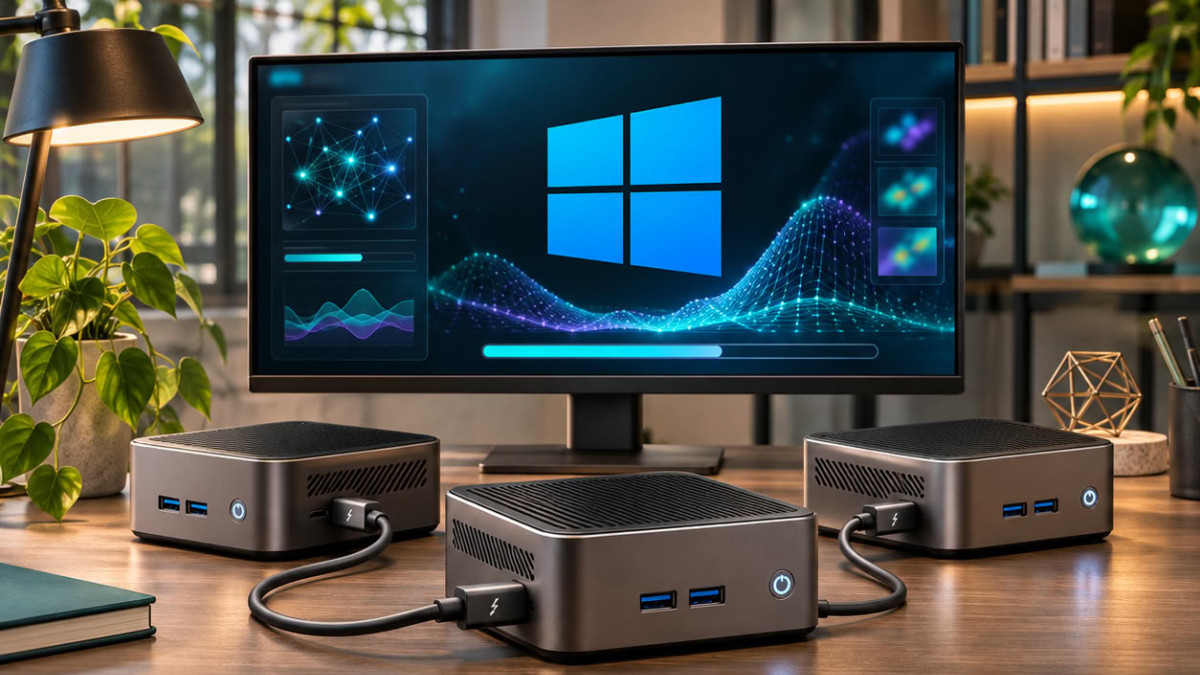
In the demonstration described by the source, three mini PCs are placed on a desk and connected to each other by three USB4 cables. Together, they run a 235-billion-parameter model, Qwen3-235B, as if it were a single machine. None of these devices could load it alone: even compressed, the model exceeds the 128 GB of memory each has. Until now, this type of setup required datacenter network cards. Now, Windows and a USB4 cable are enough, according to Microsoft.
The technique relies on RDMA, or Remote Direct Memory Access, which allows one machine to read the memory of another without going through the usual full network stack.
A latency described as reduced
Microsoft unveiled its USB4 version on November 19, in preview for developers, in a post published on its USB-focused blog. According to the company, the round-trip for a small message drops to 28 microseconds, about four times less than with standard Ethernet on the same cable.
AMD conducted its own tests on three 128 GB Ryzen AI Max+ 395s, the Strix Halo chip in the GMKtec EVO-X2. According to the results shared, Qwen3-235B generates between 18.5 and 21.98 tokens per second, a token corresponding to a piece of a word. Intel, for its part, ran GPT-OSS-120B on three, then four, 64 GB Core Ultra Series 3 processors, the chip family in the GMKtec EVO-T2S. The model then reaches 49.4 tokens per second with three machines, then 54.2 with four.
Nvidia, the DGX Spark and the RTX Spark
For Nvidia, linking multiple machines is already a commercial argument. The DGX Spark includes a ConnectX-7 card, a 200 Gb/s datacenter network chip. By linking two devices, it becomes possible to run models of up to 405 billion parameters. The Cluster Assistant tool can now manage up to four of them, using a switch.
Compared to this solution, USB4 tops out at 40 or 80 Gb/s, which is five times less bandwidth at 40 Gb/s, but without purchasing additional equipment. Microsoft also indicates that the latency, which dictates text generation speed, remains the same at both speeds.
The source notes an irony: the RTX Spark, the Windows version of the same chip as Dell’s DGX Spark, does not include the ConnectX-7. Its machines, however, have three 40 Gb/s USB-C ports, which would theoretically allow linking four PCs where each is connected to all the others. USB4 could therefore fill this gap, provided Microsoft’s technique works on this platform, which remains to be verified.
Mixing brands and availability
Each PC must be directly connected to all the others. An EVO-X2, with its two USB4 ports, allows for a trio setup, while the EVO-X5 Pro, equipped with four ports including two at 80 Gb/s, could go up to five machines.
It is not yet known if mixing brands and platforms works well. USB4 is a common standard, and the modified version of llama.cpp published by Microsoft, the open-source engine that runs models locally, uses Vulkan, an interface understood by AMD, Intel, and Nvidia GPUs. However, Microsoft has only validated homogeneous clusters, requires the same Windows versions and the same drivers everywhere, and never mentions Arm. Nvidia’s chip also delegates USB4 to a third-party controller, which could complicate matters.
The feature is not integrated into any public version of Windows. Microsoft promises an Insider version soon, while the NetworkDirect network module and the modified llama.cpp are already available on GitHub. To enable it, Secure Boot, the protection that prevents unsigned software from launching at startup, will need to be disabled.
Microsoft thus joins Apple, which offers RDMA over Thunderbolt 5 between Macs since macOS 26.2.
